Download the tkhot App
and Play Anywhere in Bangladesh
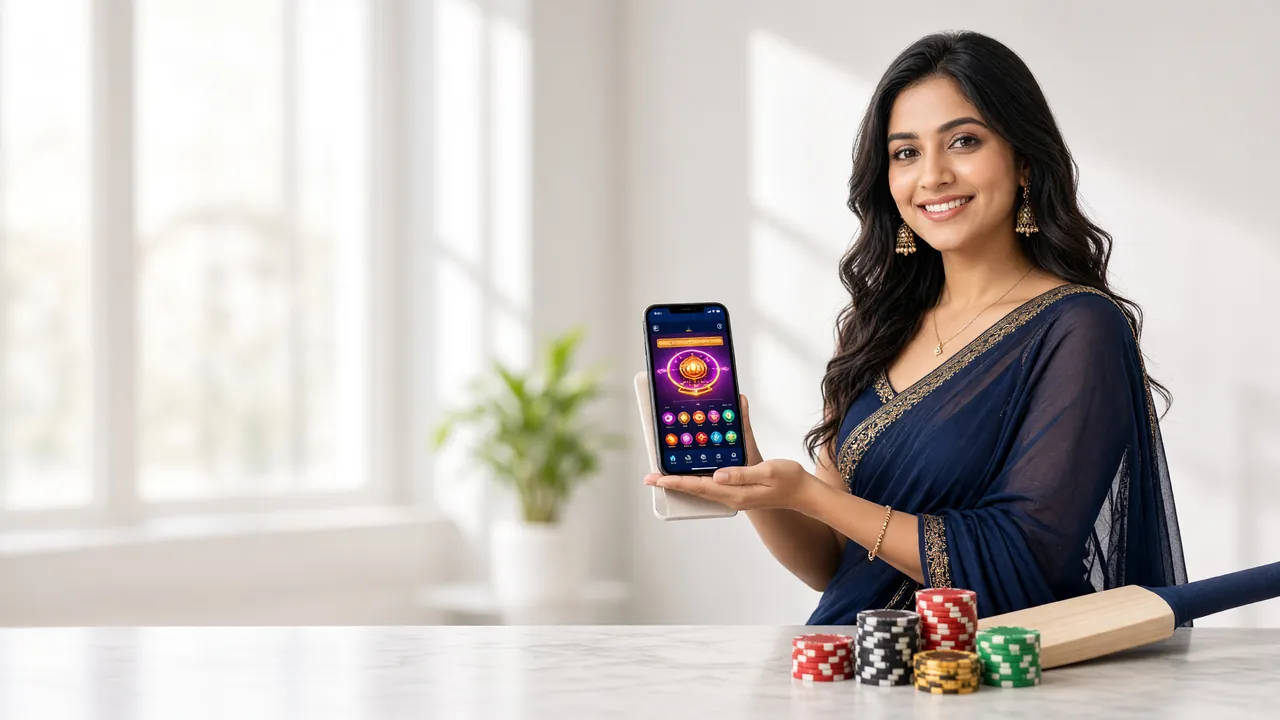
The tkhot App puts slots, live casino, cricket betting and fast bKash payments all in one place. Free to download, runs on Android 7.0 and above, and takes under a minute to install. No app store needed.
Get the App — Direct APK Download
The APK file is hosted directly on our server. No Play Store account is needed. Tap the button below, allow the download in your browser, and you are ready to install.
| Version | 2.2.8 |
|---|---|
| File Size | 32 MB |
| Min. Android | 7.0 (Nougat) |
| Last Updated | 15 November 2026 |
| Price | Free |
| Languages | English / Bangla |
| Platform | Android (APK sideload) |
iPhone / iOS Users
No APK for iOS. Add the tkhot website to your iPhone home screen for a near-app experience:
- Open tkhot.lat in Safari on your iPhone.
- Tap the Share button (box with arrow) at the bottom of Safari.
- Scroll down and tap Add to Home Screen.
- Give it a name and tap Add. Done — it now appears like an app icon.


Games Inside the tkhot App
From Evolution and Habanero slots to Ezugi live tables, the full catalogue is available inside the app. Tap any title to load it in seconds.
- Slots: Spirit Party (RTP 97.2%), Hip Hop Panda (97.5%), Mahjong Ways 2 (96.1%) and over 3,800 games total.
- Live Casino: Evolution and Ezugi real dealers, streamed in HD directly to your phone screen.
- Cricket Betting: BPL, IPL, T20 and ODI odds updated in real time — place bets during the match.
- Payments: Deposit via bKash, Nagad or Rocket and see funds in your account within 3 minutes.
How to Install the tkhot APK on Android
Android blocks APK files from outside the Play Store by default. You need to allow it once — it takes about 20 seconds. These steps work on Android 7.0 and above.
-
01
Allow Unknown Sources
Go to Settings → Security (or Apps & Notifications → Special App Access → Install Unknown Apps on Android 8+). Enable it for your browser or file manager.
-
02
Download the APK
Tap the Download APK button on this page. The file tkhot.apk (32 MB) will save to your Downloads folder. Keep your screen on until it finishes.
-
03
Open the File
Open your Downloads folder or tap the finished-download notification. Tap tkhot.apk and hit Install on the prompt. The process takes around 20 seconds.
-
04
Log In or Register
Open the installed app. If you already have an account, log in with your username and password. New player? Tap Register to set up an account in under two minutes.
-
05
Deposit & Play
Top up via bKash or Nagad — minimum deposit is ৳450. Funds arrive within 3 minutes. The welcome bonus of 145% (up to ৳26,000) is applied automatically to your first deposit.
Security note: Only download tkhot.apk from tkhot.lat/tkhot-app/. The file is served over HTTPS and is verified on our servers. You can re-disable "Install Unknown Apps" after installation to keep your phone secure.
What You Get Inside the tkhot App
The app is not a stripped-down mobile site. Every feature from the desktop version is available, optimised for one-handed use on a phone screen.
Fast Login
Log in with your saved credentials in one tap. No CAPTCHA on recognised devices. If you need to reset access, the login page has a quick password recovery option.
Deposit & Withdraw
Top up with bKash, Nagad, Rocket, Upay or Bank Transfer. Deposits process in 3 minutes. Withdrawals from ৳1,300 to ৳90,000 per day complete in around 10 minutes.
Live Casino Tables
Evolution and Ezugi live dealers stream in HD. The app auto-adjusts video quality based on your connection speed — usable even on 3G networks.
Push Notifications
Opt in to match alerts and bonus reminders. Get notified when a cricket match starts or when your withdrawal is processed. Turn off in app settings at any time.
Full Game Library
All 3,800 games from providers like Red Tiger, KA Gaming, Evolution and Habanero are accessible. Filter by type, provider or RTP to find your game quickly.
24/7 Live Chat
Tap the chat icon from any screen to reach support. Response time is typically under two minutes. Useful if a deposit is pending or you need bonus clarification.
All account settings — including password change, withdrawal limits and responsible gaming controls — are accessible from the profile menu inside the app.
App vs Browser: Which One Fits Your Routine?
Both options give you full access to tkhot. The difference comes down to how you use your phone and how much storage you have available.
If you play cricket betting during commutes or use bKash to top up on the go, the app will save you noticeable time. For occasional desktop sessions, the browser works fine. You can read a fuller comparison on the tkhot App vs Website guide.
Playing on a Budget Phone or Slow Connection
The tkhot App is built to run on mid-range and entry-level Android devices. Here are practical settings to get a smooth experience on 2G/3G or a low-memory phone.
Low RAM Devices
The app runs on phones with as little as 1 GB RAM. Close background apps before launching to free memory. Avoid running live streams and social media simultaneously.
2G / 3G Networks
Slots and crash games load fine on 3G. For live casino, turn on the in-app low-quality stream toggle (found in Settings → Video Quality) to cut data use by roughly half.
Battery & Heat
Long live casino sessions heat phones. Use the app's power-save mode: it dims animations and reduces frame rate. Enable in Settings → Performance.
Save Mobile Data
Download the app over Wi-Fi, not mobile data. The APK itself is 32 MB. Once installed, slot games use about 1–2 MB per minute, well within most daily bundles.
Storage Checks
The app installs to roughly 50 MB including cache. If your phone shows "insufficient storage," clear the browser cache and unneeded photos first. The app cache can also be cleared from Android Settings → Apps.
App Updates
Updates are not automatic — visit this page to check the current version (v2.2.8). Download a fresh APK and install it over the existing app without losing your account data.
Installation Problems? Fix Them Here
Most APK install errors have a simple cause. Work through the table below before contacting support.
| Problem | Likely Cause | How to Fix |
|---|---|---|
| Install blocked by Android | Unknown Sources not enabled for the app you used to open the APK. | Go to Settings → Apps → Special App Access → Install Unknown Apps. Find your file manager or browser and switch it on. Try the install again. |
| "Parse error" or "There is a problem parsing the package" | APK file was corrupted during download (incomplete download or bad connection). | Delete the existing tkhot.apk from your Downloads folder. Download it fresh from this page, ideally on Wi-Fi. Check the file size is 32 MB before opening. |
| "Insufficient storage space" | Less than 50 MB free on internal storage. | Free up space by clearing browser cache (Settings → Apps → Chrome/UC Browser → Clear Cache) or deleting unused apps. The tkhot app needs about 50 MB installed. |
| App installs but crashes on launch | Android version below 7.0, or RAM too low after background apps. | Check your Android version in Settings → About Phone. Must be 7.0 or above. Force-close all background apps and reboot your phone before opening tkhot again. |
| Black screen or stuck on loading logo | Slow internet on first load or outdated WebView component. | Switch to Wi-Fi or a stronger mobile signal. Update "Android System WebView" from the Play Store (search "WebView"). Open the app again after the update completes. |
If none of the fixes above work, open 24/7 Live Chat from the tkhot website and share your Android version and phone model. Support usually resolves install issues within a few minutes.
Common Questions About the tkhot App
Is the tkhot APK safe to install on my phone?
Yes, as long as you download it from tkhot.lat/tkhot-app/ only. The file is served over HTTPS from our own servers. It does not contain adware, spyware or any tracking beyond what is needed for your account session. After installation, you can re-disable "Install Unknown Apps" in your Android settings to prevent other APK files from being installed accidentally.
Which phones can run the tkhot App?
Any Android phone running version 7.0 (Nougat) or higher can install the app. This covers most devices released from 2017 onwards. iPhones are not supported by the APK — iOS users should use the Safari browser and add tkhot.lat to their home screen for a shortcut. Very old Android phones on version 6 or below will need to stay on the browser version.
How do I update the tkhot App to the latest version?
Updates are not pushed automatically because the app is outside the Play Store. To update, return to this page, check if the displayed version (currently v2.2.8) is newer than what you have installed. If it is, download the new APK and install it over your existing app. Your account data, balance and history are stored server-side and will not be affected by the update.
Does the tkhot App use a lot of mobile data?
Slot games typically use 1–2 MB per minute, so an hour of play is around 60–120 MB. Live casino streams use more — roughly 100–200 MB per hour on standard quality. Turn on the low-quality stream toggle in Settings → Video Quality to halve that. If you are on a small daily bundle, play slots and avoid live tables until you have a Wi-Fi connection available.
Can I use the same tkhot account on both the app and the website?
Yes. Your username, password, wallet balance, bonuses and transaction history are all tied to your account on our servers, not to any device. You can log in on the app, then switch to a laptop browser later, and everything will be in sync. Active game sessions do not transfer mid-round, but your balance updates instantly across all devices when you finish a session.
The install keeps failing — what should I do?
First, delete the downloaded APK and re-download it on Wi-Fi to rule out a corrupted file. Next, make sure "Install Unknown Apps" is enabled specifically for the browser or file manager you used to open the file — it must be enabled per-app on Android 8 and above. If the issue is a parse error, your Android version may be below 7.0. Check Settings → About Phone → Android Version. If none of this helps, contact 24/7 Live Chat with your phone model and Android version.
Ready to Play? Open Your Account First
Download the app and register a tkhot account to claim your first-deposit welcome bonus. Minimum deposit is just ৳450.
18+ · Play Responsibly · Bangladesh